Facebook Reels Have Arrived!
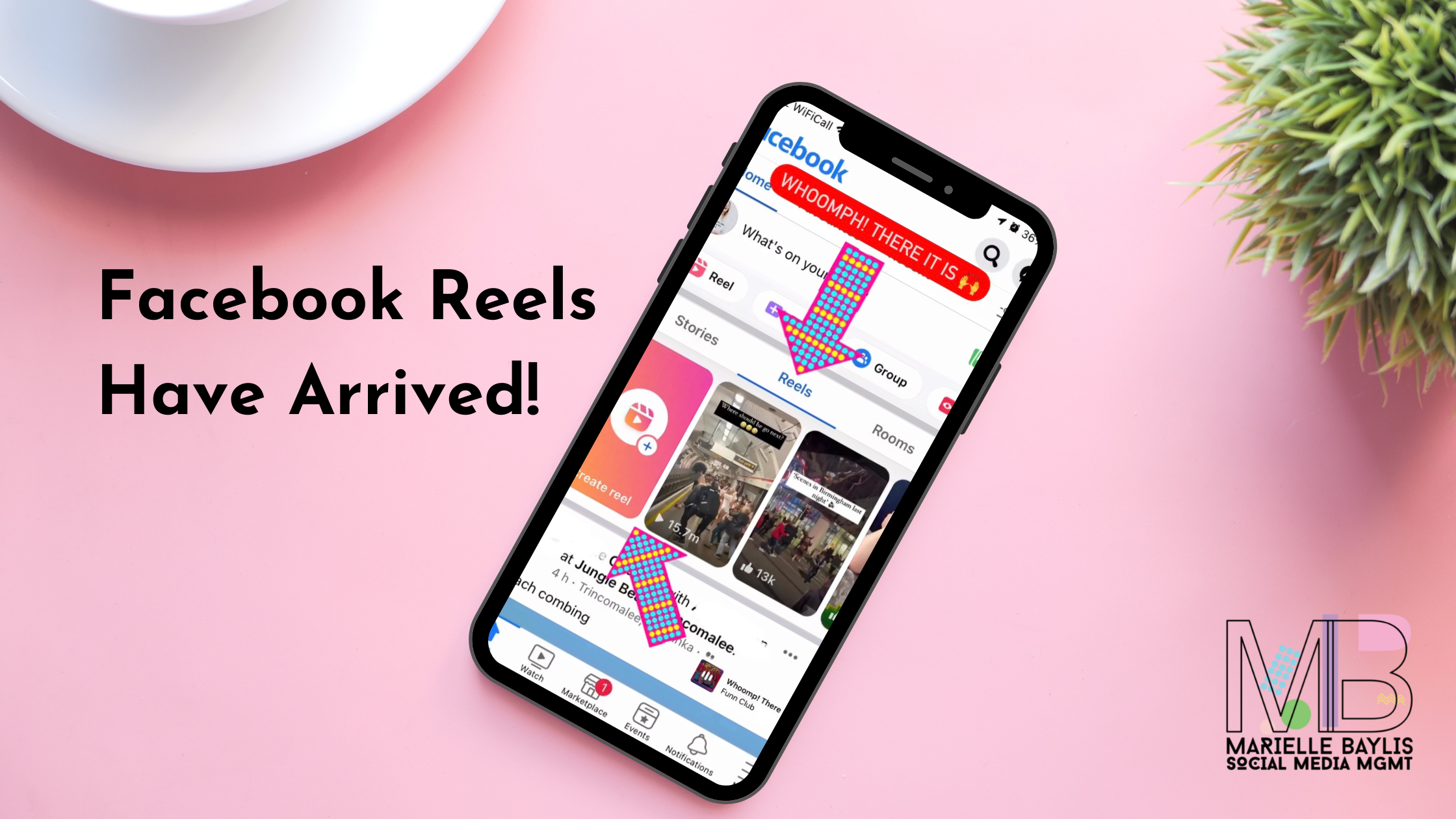
So Facebook Reels are being rolled out globally! That was a quick turnaround, hey? Adam Mosseri only announced the new development yesterday. After a quick app update, they are already here in the UK.
Meta has been very vocal about how video content, and more specifically Reels, is an area of focus for them as this is where they have seen the fastest growth. It is well-known that Reels were are Instagram's version of TikTok videos. As TikTok continues to grow from strength to strength, will Facebook Reels be the feature that helps Meta compete on a larger scale with the video giant?
Let’s take a closer look at Facebook Reels, how to use them and how they can help your business.
What are Facebook Reels?
Facebook Reels are much the same as Instagram Reels in that they are a short-form video format that can use music or specific audio. They can be up to 60 seconds long and will be able to be remixed like Instagram Reels and TikTok videos. Historically, Reels have only been available on Instagram, but this latest integration allows Reels to be shared to Facebook audiences too.
When you open the Facebook app you will now see a Reels display at the top of the feed. This will show a selection of recommended reels from various creators as well as a button inviting you to create Reels natively within the app.
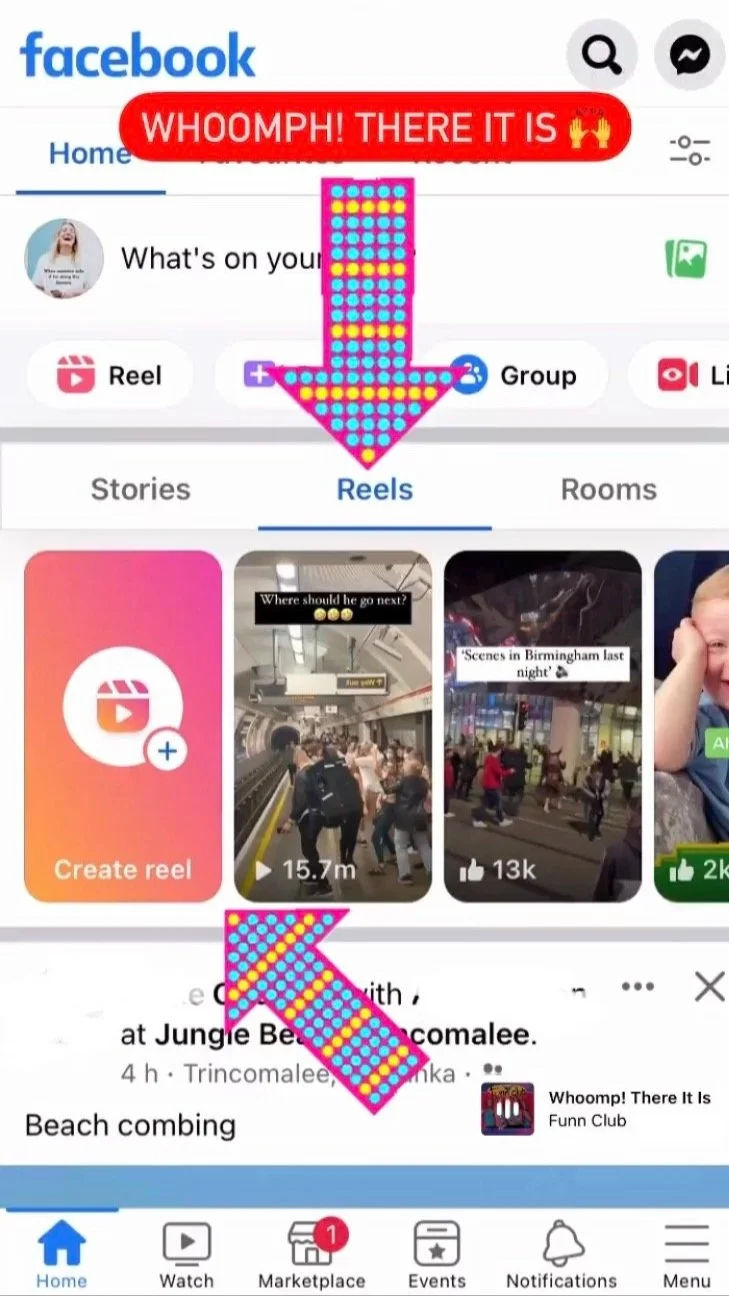
Facebook Reels display at the top of the Facebook app feed.
Why should you use Facebook Reels?
Several benefits come with the launch of Facebook Reels. The main one is the increased reach potential a vast platform like Facebook offers.
By sharing Reels to Facebook you open yourself up to whole new audiences. Put simply, more and NEW eyes on your content - C’est Magnifique!
Adam Mosseri, Head of Instagram, also reinforced that this move will create more opportunities for creators to monetise their content. Again, wonderful news!
In addition, this feature will create new surfaces and formats for advertisers to use and be found on.
How do you use Facebook Reels?
There are currently two ways you can share Reels to Facebook.
Method 1
Create them natively in the app using the creation Facebook Reels tools available. These currently aren’t quite as advanced as Instagram Reels features (I don’t know why tbh) but the principles are virtually the same.
Click the orange ‘Create Reel’ tab in the Facebook Reels display and you will see a very similar Reels creation interface. See the image below.
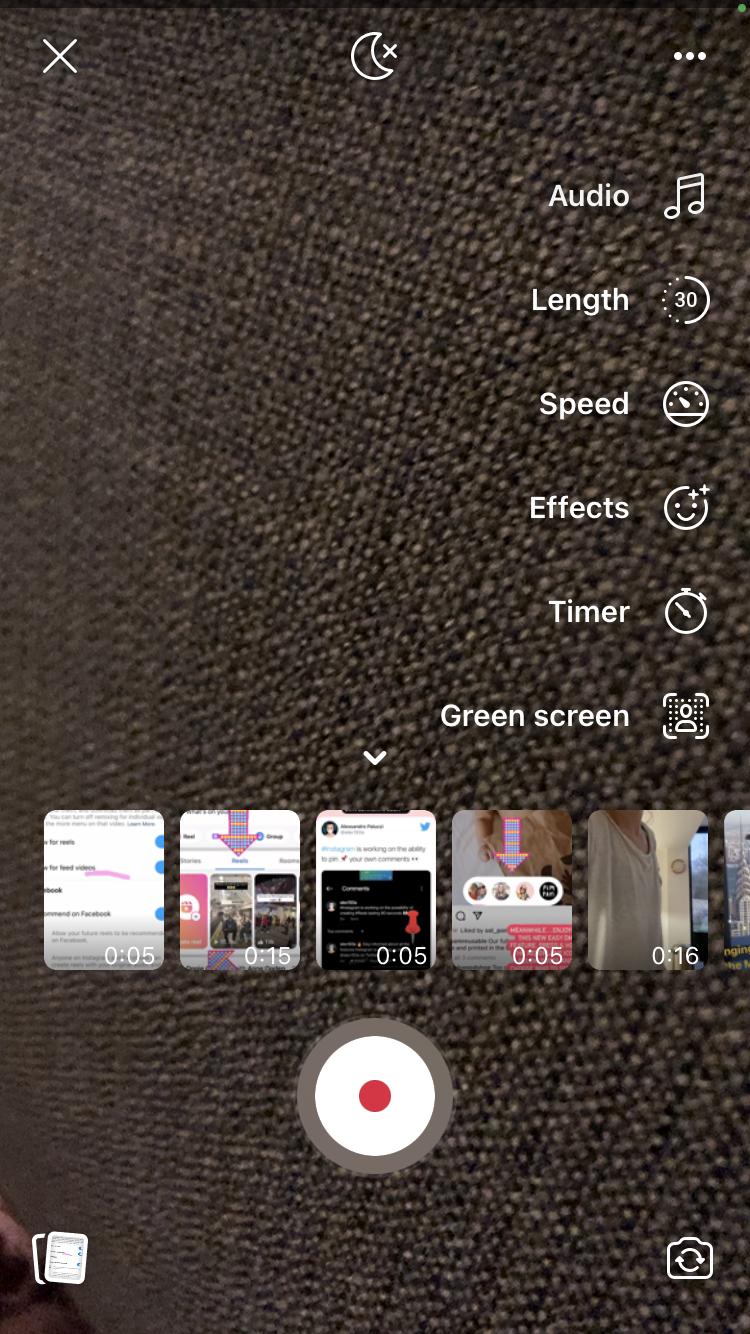
Native Facebook Reels creation interface
Method 2
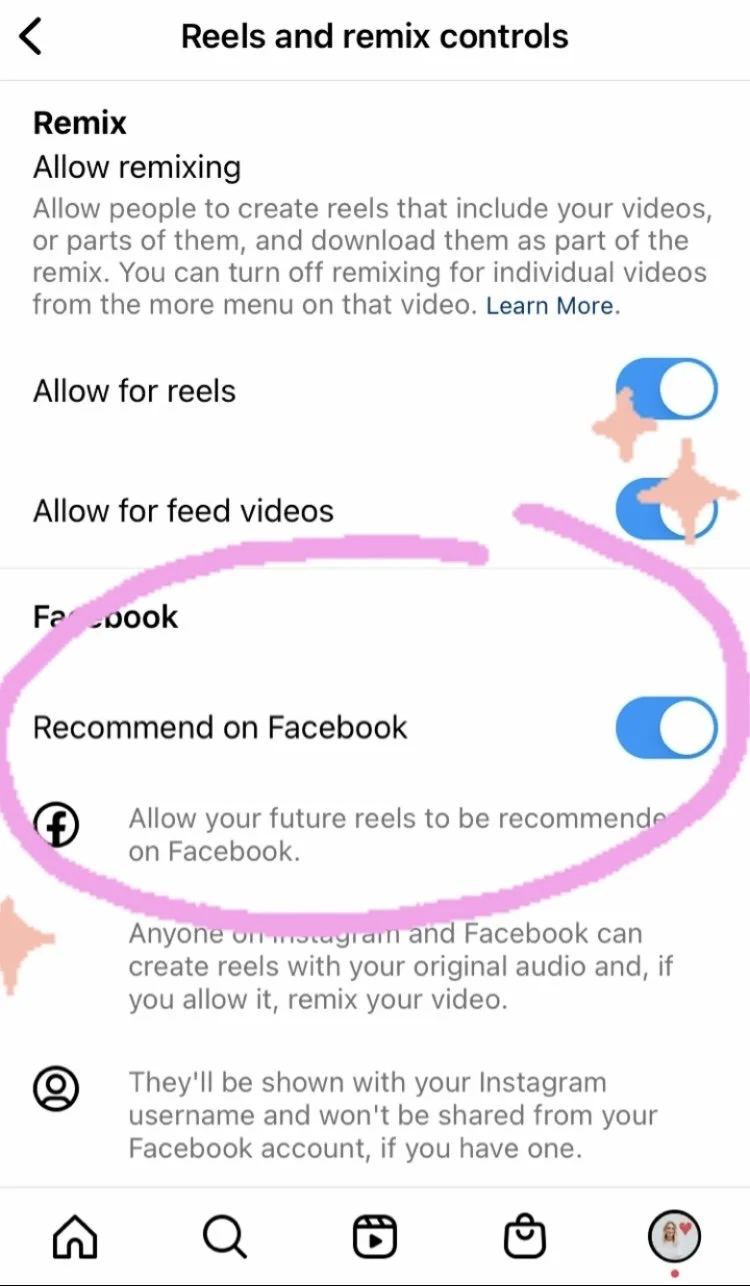
The simplest method for users familiar with creating and sharing Reels on Instagram already. Your account will need to be public, then simply turn on the 'Recommend on Facebook' toggle in your settings. Once switched on, any future reels posted on Instagram will be automatically shared to Facebook and ‘recommended’ to users based on what may be relevant to them and their viewing preferences.
To do this:
Click the burger menu (three lines in the top right on your Instagram profile page)
Click Settings
Click Privacy
Click Reels and Remix
Turn the ‘Recommend on Facebook’ toggle ON so that it is blue
You can change this setting at any time by following these steps and turning the toggle OFF.
What can people viewing your reel from Facebook see?
When people view your Instagram reel from Facebook they can see the following:
Your Instagram username and profile info. If you have a Facebook account, your Facebook info won't be shown, even if your Instagram account is connected to a Facebook account.
Your reel's total play count, like count and which Facebook accounts liked your reel. The play count and like count may include plays and likes from both Instagram and Facebook.
Your reel's total comment count. Comments on your reel won't be visible on Facebook though. Only Instagram accounts can see and leave comments on your reel.
Note that reels you set to Recommend on Facebook can be seen by ANYONE on Facebook. This may include people who you aren't friends with on Facebook or whose accounts you blocked on Facebook or Instagram. This could have implications when it comes to young users so there are additional tips for parents here in order to keep children safe. Read them here.*
So there is your brief guide to Facebook Reels and how to introduce them to your social media strategy.
It is early days with this particular venture so only time will tell how well it works overall. I have heard of some social media managers getting great results for their clients already so it's certainly not a feature to dismiss. Especially as it is relatively easy to implement if you are making Reels already on Instagram. Early adopters generally gain the most rewards for hopping on a new feature and early, so why not give it a go?
The bottom line is this is the ultimate repurposing tool! If you are a business that has been worried about a lack of reach and engagement lately then this feature is one to test and experiment with.
If you would like to know more about Reels basics learn how to create engaging Reels quickly and simply to promote your business, you can find more information on my social media services page or courses & workshops page.
I hope this was helpful and let me know how you get on.
Marielle x
* From Instagram Help Resources