
4 New and Fun Instagram Story Stickers

Instagram recently launched four fun new Story stickers for us to play with.
These stickers are great new tools to add to your content creation kit, and three encourage engagement with your content.
So what are these new stickers and how do we use them?
What is an Instagram Story sticker?
Instagram stickers are dynamic graphic elements that can be added to both image and video Story content. Some are animated, some are clickable, and others allow users to interact directly with your Instagram Story. Simply put, they make your Stories more interesting and encourage engagement, which is great!
We already have many Story stickers to use including GIFs, Music, Poll, Question, Slider sticker and many more.
The Four New Stickers
The four new Instagram stickers are highly creative and interactive. They will allow creators to be more playful with their content and encourage that all-important engagement.
Here is an introduction to the stickers and how to use them:
Reveal Sticker

With the Reveal sticker, you can upload a photo of your choice and add the Reveal sticker. The image will appear hidden (greyed out) to your viewers until they send you a DM. Once a DM is sent, the picture will be revealed to them.
When creating a story, tap the stickers icon, then tap on the Reveal sticker.
Once you select the Reveal sticker, you will be prompted to type a hint for your followers about what they might find behind your blurred story. Or you could tell them which emoji to send to reveal the image for instance.
You can tap the ‘Preview’ icon in the bottom left-hand corner to see how your story will appear to your followers.
Once you publish your story, your followers will only be able to see your story content when they DM you.
There is no approval process so as soon as the DM is received, the image will be automatically unveiled.

Ways to use this sticker could include:
New product drops
Launches
Limited editions
Discount codes
Word of Warning
I had a few DM’s about this sticker over the weekend with concerns that it could be misused. As with all Instagram features, they must be used by adhering to Instagram's Community Guidelines. If you abuse these features by revealing images that don’t comply, you risk having your account restricted or, worse still, disabled. So use wisely.
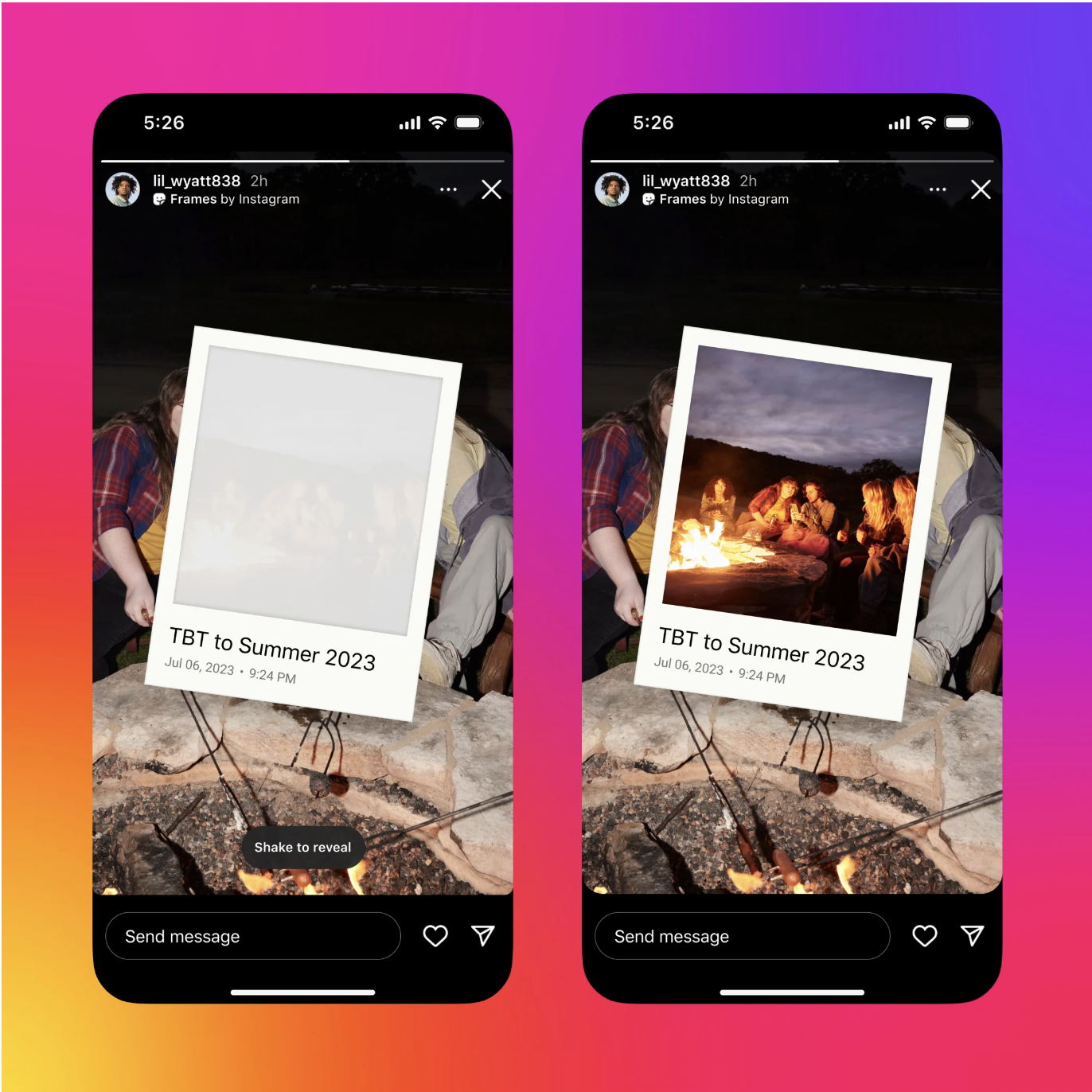
Frames Sticker

This is a super fun and creative sticker.
You could use it similarly to the Reveal sticker for product drops, launches, limited editions etc. Or you could use it to highlight a special moment.
To reveal the content inside the Polaroid frame, your followers will need to shake their phones to develop the image, just like you would with a real-life Polaroid photograph to develop it. And yes, I am old enough to remember when these were a thing 😂.
When creating a story, tap the stickers icon, and tap the Frames sticker.
This will open up your photo gallery, where you can select one image to be framed.
Once you select an image, you can also add a caption if you choose. It will automatically add the date and timestamp of when the photo was taken.
Once your story is published, your followers can shake their phones or tap the ‘shake to reveal’ button to develop the image inside the frame.
Cutouts Sticker

The Cutouts sticker is another fun and creative sticker that allows you to create super unique story content for your followers to enjoy.
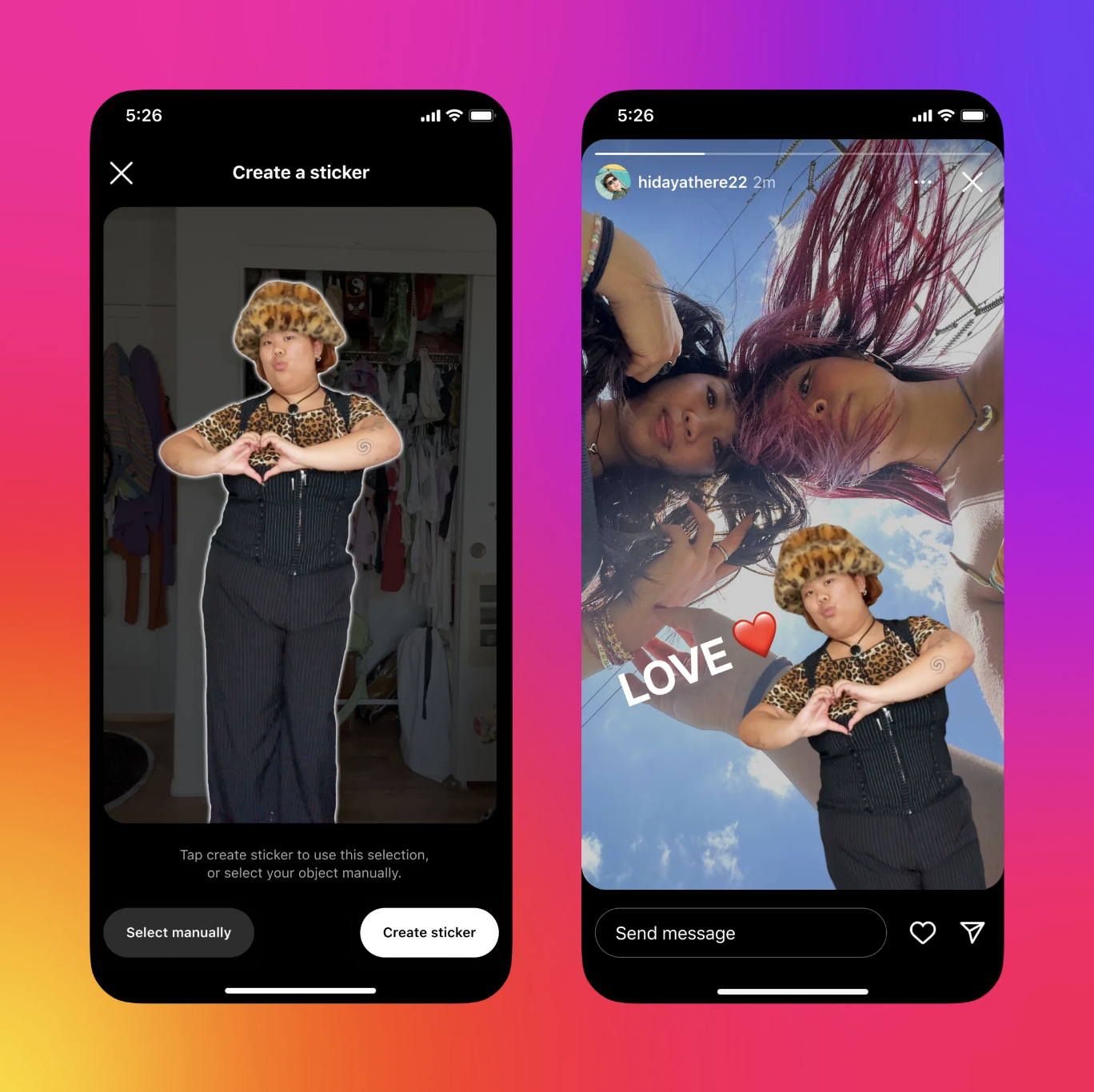
The sticker allows you to turn part of any video or photo in your camera roll into a Cutout sticker that you can add to your story or reel.
A great feature of the sticker is once you create your cutouts, they are saved and easily accessible in your sticker tray, so you can use them again and again.
To create a sticker from your camera roll:
Tap the stickers icon at the top, then tap on the scissors icon that says Cutouts.
Select a photo or video with a clear subject from your gallery.
A sticker will be automatically generated. If it’s not what you wanted, you can manually select the object you want for your sticker. Note: you can only pick one object.
Tap the “Use sticker” button to add it to your reel or story.
To create a sticker from photos on Instagram:
Go to the photo you want to create a sticker from. Note: you’ll only see the option to create a sticker from eligible photos shared by public accounts on Instagram.
Tap the three dots in the top right of the post.
Tap Create sticker.
Add Yours Music Sticker
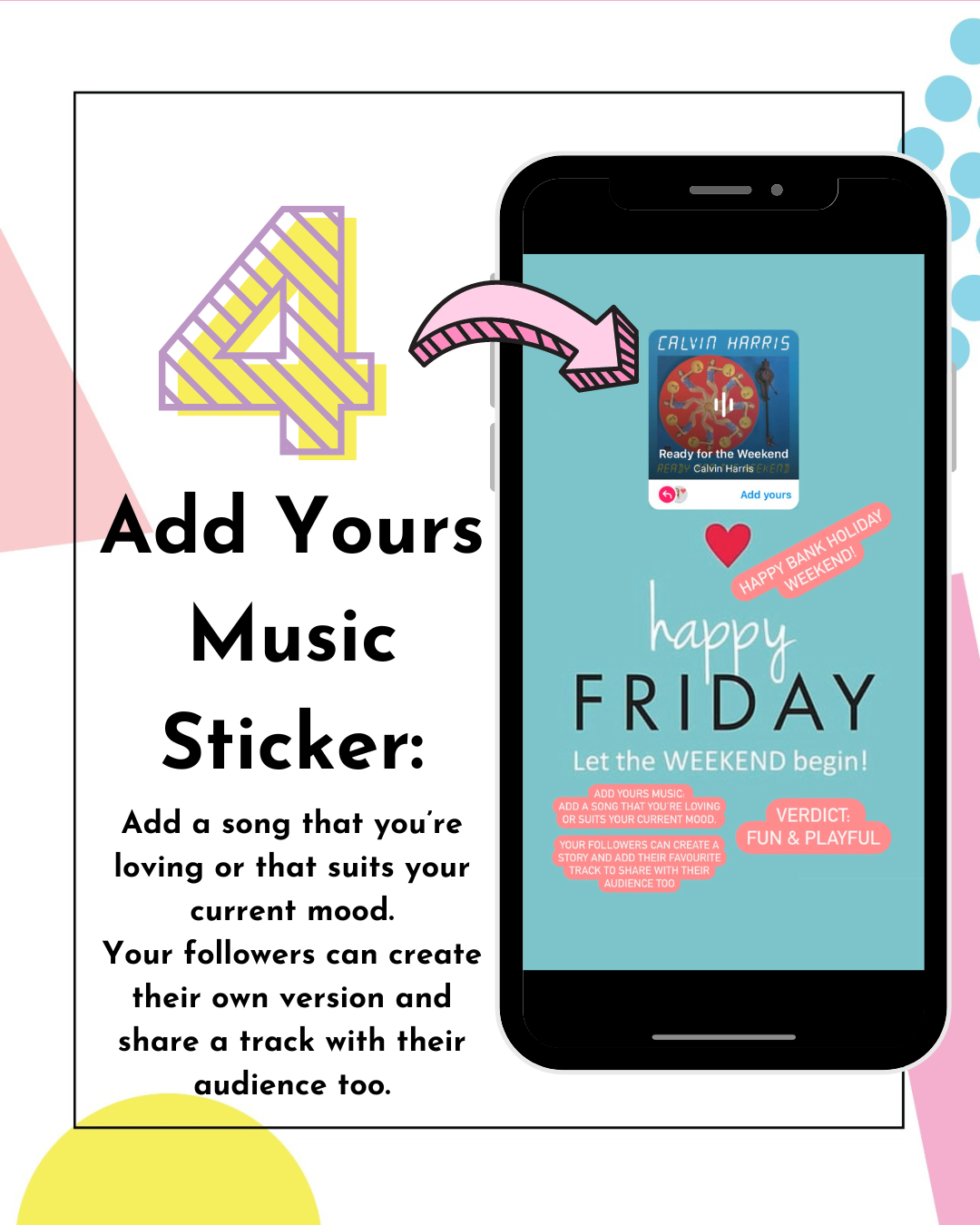
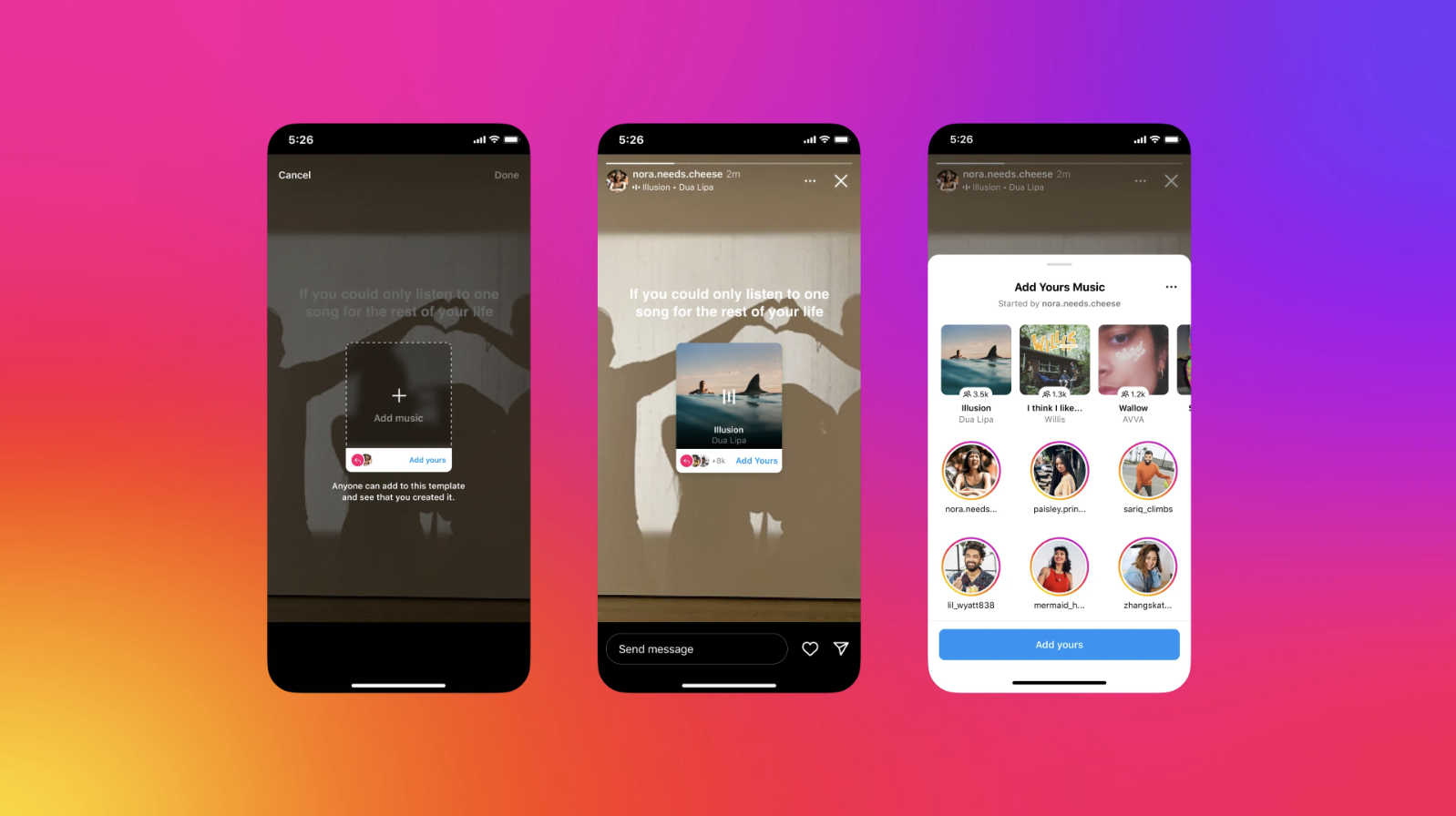
This sticker is much like the current Add Yours Sticker but this one combines a musical element. The Add Yours Music sticker allows you to jump on music trends by sharing your favourite song that fits your current mood, a new music find, or a tune that fits with the theme for your day.
When your followers view your story they can add their favorite track and share that with their audience too.
Tap the stickers icon, then tap on the ‘Add Yours Music’ sticker.
Once selected, tap on ‘+ / Add Music’ and select a song from Instagram’s music library.
Once you post your story, your friends will be able to add the song they are listening to using the ‘Add Yours’ button.
Verdict
I used all four last weekend and they went down pretty well with OK interaction considering how new and fresh they are. As more people get used to them I think they will prove to be very useful tools that add great interest.
If you haven't used them yet, give them a whirl and see what happens. Let me know if you have any questions and enjoy having fun with them!
Marielle x
If you would like to learn more Instagram tips and tricks, come and follow me on Instagram where I regularly share the latest Instagram features and updates.
You can also join Claire from Studio 5 Social and I on the next cohort of the Instagram Growth Club where you will learn all the latest Instagram strategies & features to grow your business using the platform’s tools.