Instagram’s New Edits App: The Only Starter Guide You’ll Need
Instagram just dropped the brand-new Edits app this week as a little post-Easter treat for us all.
This shiny new video editing app is set to make Reels creation smoother, slicker, and way more creative 🙌..
If your first reaction was, “Oh no, not another thing to learn…” I totally get it. But stick with me, because Edits is actually packed with brilliant tools that will help you create content faster, stay organised, and repurpose like a pro.
In this blog, I’ll introduce you to the app with my easy-to-follow Edits Starter Kit. This guide will reduce any overwhelm and will ease you in gently to the new app interface.
What is the Instagram Edits App?
Edits is Instagram’s brand-new standalone app designed to level up your Reels workflow. It’s part idea bank, part video editor, part inspiration board and it’s ideal for creators, small business owners, and social media managers who want to work smarter, not harder.
A Quick Tour of the Edits App Tabs
At first glance, the layout might feel a bit overwhelming. But once you break it down, the Edits app is super user-friendly. It’s divided into five main tabs:
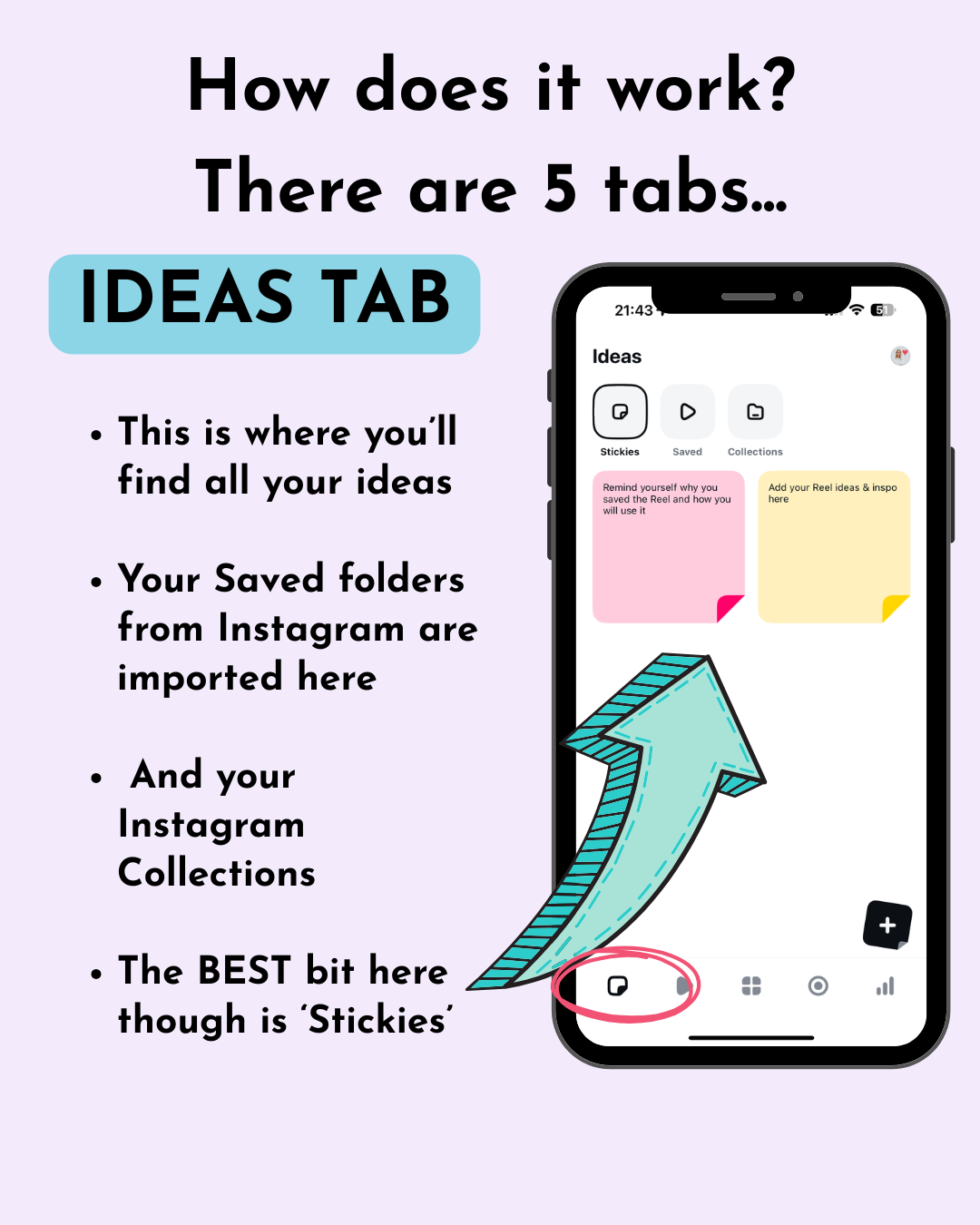
Ideas Tab
Where all your saved content lives. You’ll see:
Your Stickies (more on these dreamy little things in a sec)
Your Instagram saved folders
Your Instagram Collections you’ve created or contributed to
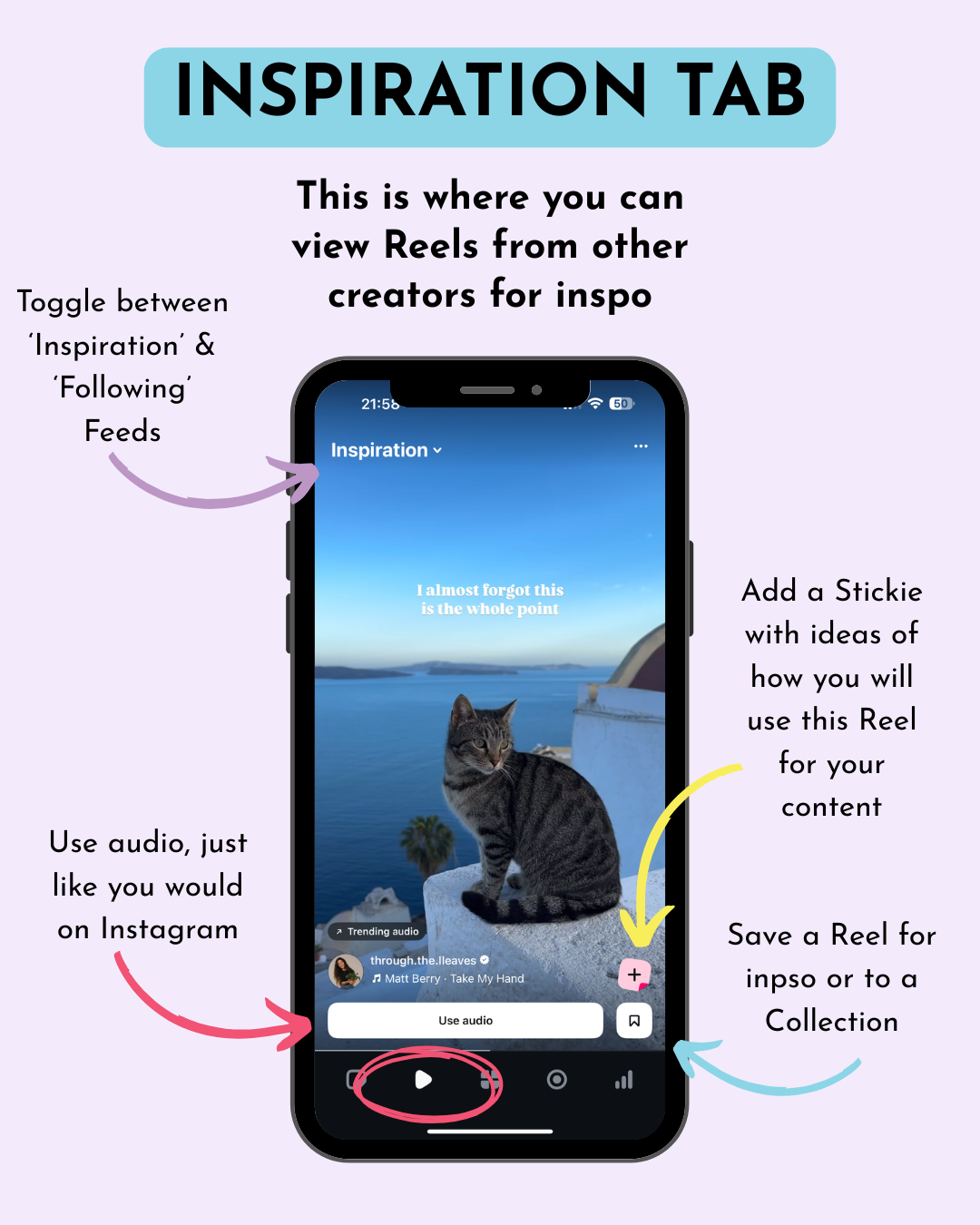
Inspiration Tab
Think of this as your Reels vision board. Browse trending content, see what other creators are doing, and get those creative juices flowing.
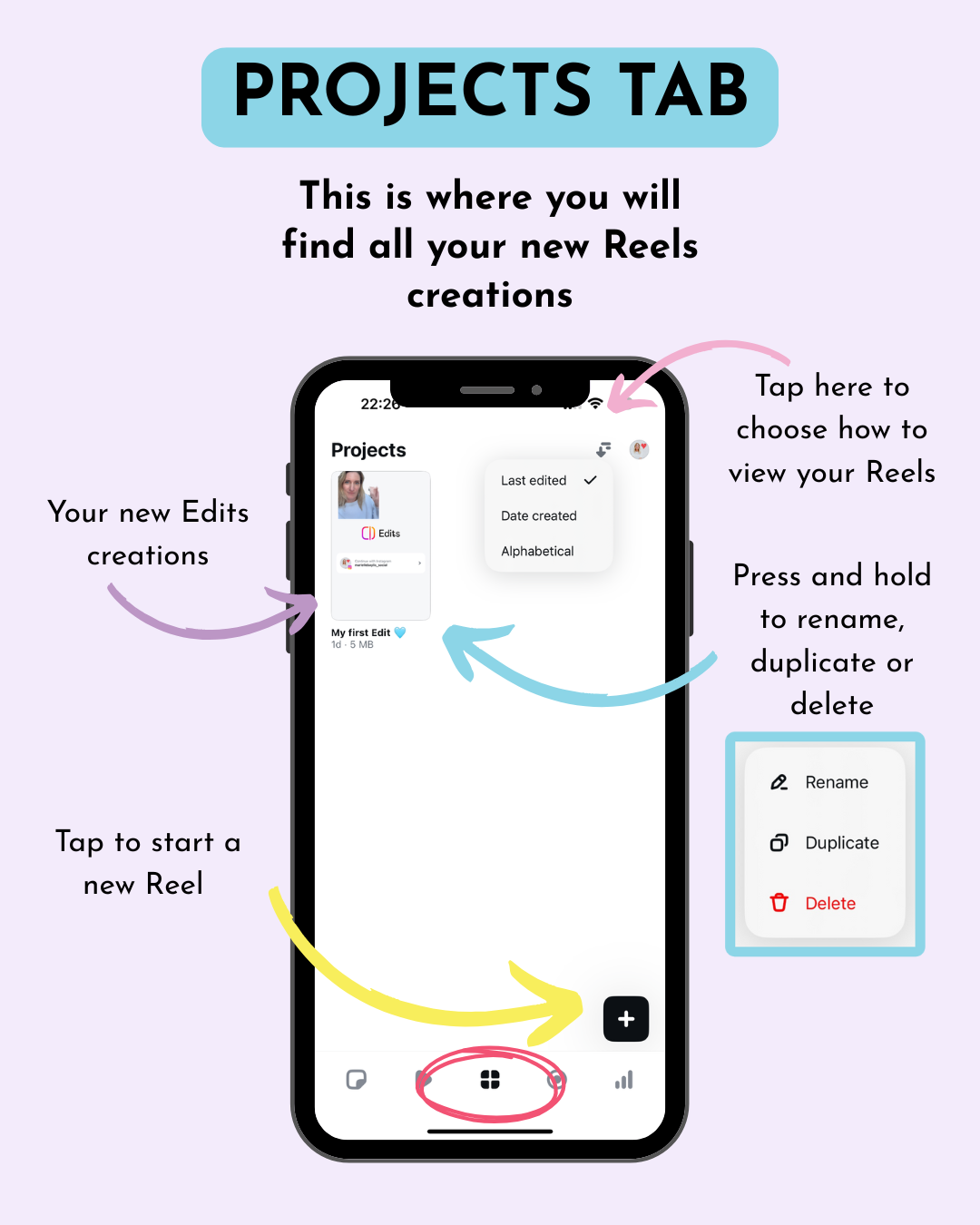
Projects Tab
This is your editing hub. Any Reels you’re currently working on will live here. It’s the ideal place for staying organised across multiple projects.
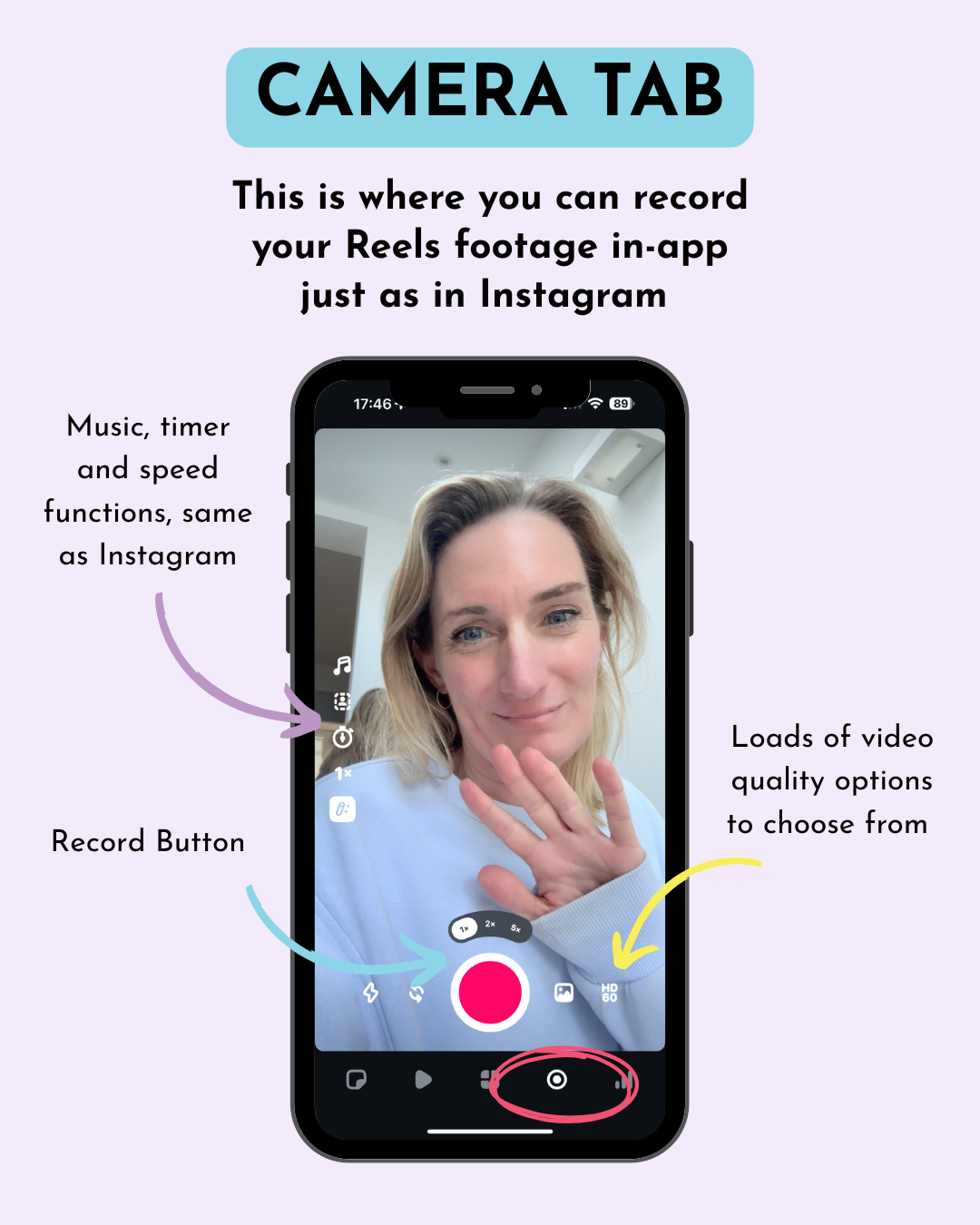
Camera Tab
Record footage directly in the app, just like you would in Instagram, but with way more tools and flexibility.
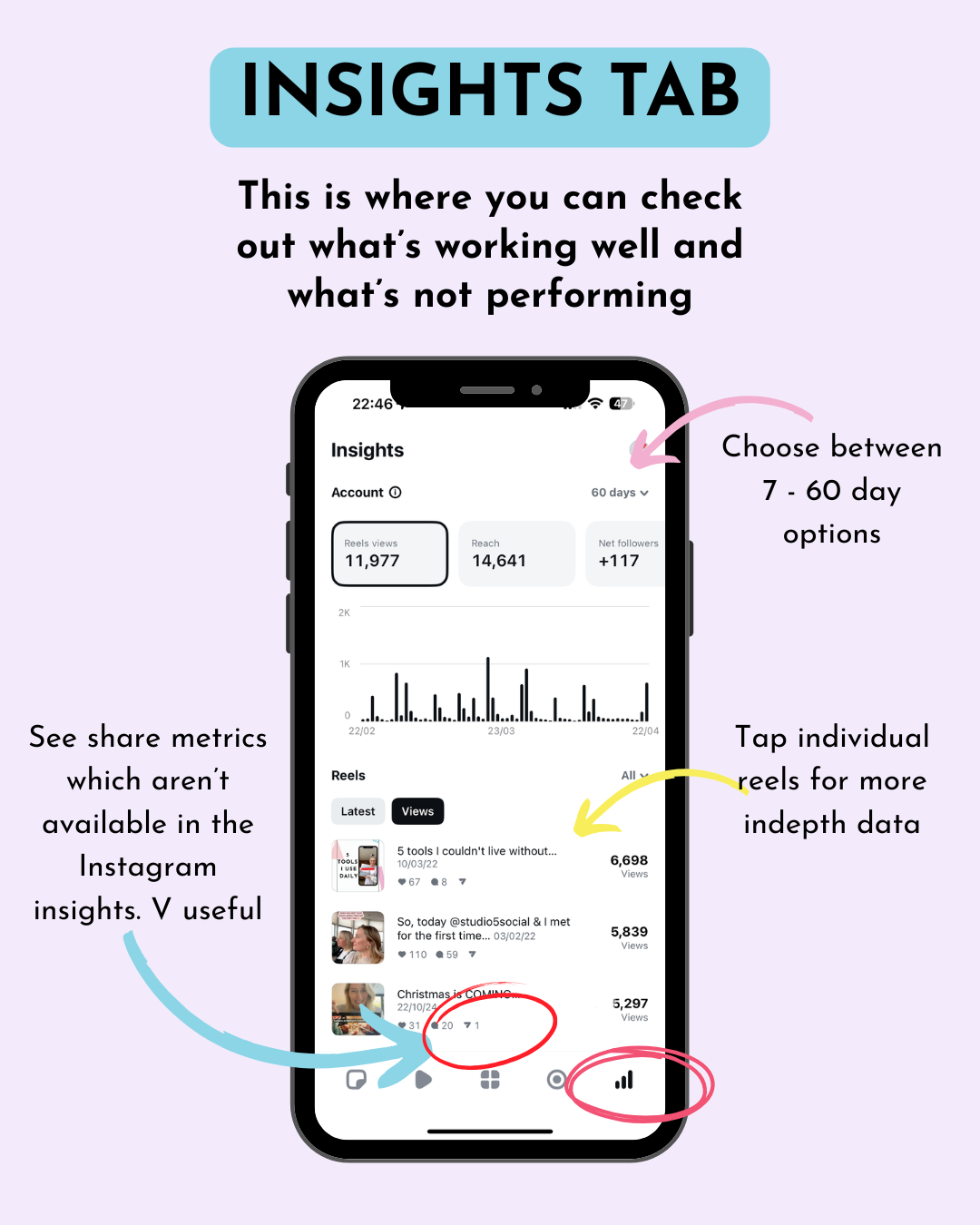
Insights Tab
Finally, we have access to detailed insights, including share data (which has been missing from Instagram insights in the UK for years now). Total game changer for content strategy and allowing you to analyse what’s working and which areas require improvement..
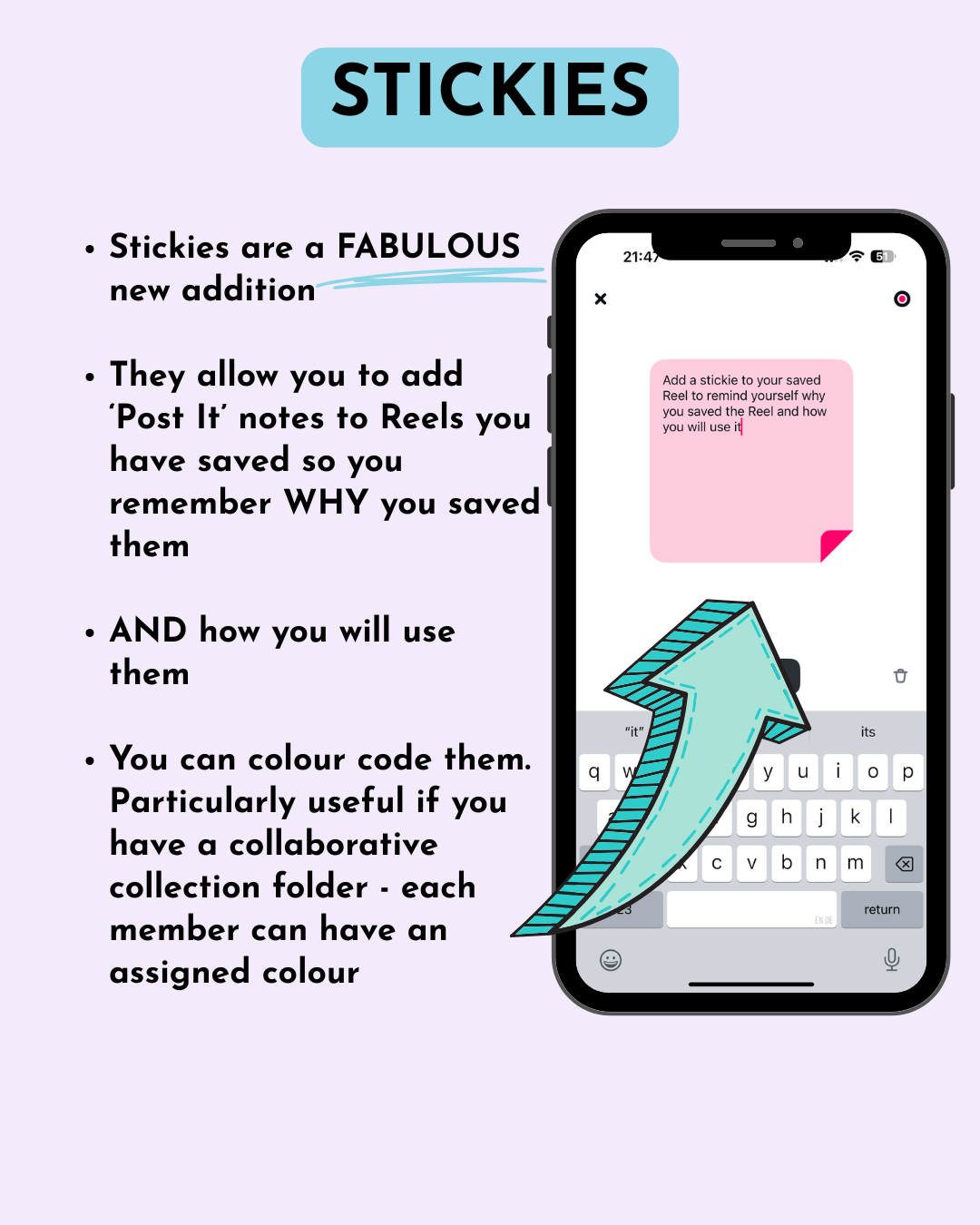
Stickies: The Game-Changing Feature
We need to give Stickies a special mention here because these are SO good.
These Stickies are essentially digital ‘Post It’ notes that you can attach to Reels with any corresponding notes
They let you:
Add colour-coded notes to saved content (perfect for collabs each member can be assigned their own colour, for instance!)
Add reminders about WHY you saved a particular Reel and HOW you will use it - it might be the hook, creative or audio you like. Add the notes so you don’t forget! AMAZING!
Turn passive scrolling into intentional content planning
These are brilliant for boosting productivity and helping you actually use the inspiration you collect.
Other Cool Features You’ll Love
Tons of new text fonts for making your Reels stand out
More caption options than in the main app
Dynamic cutout tools to help your content pop
PLUS
High-quality video content· -
Drafts stay accessible after posting (perfect for repurposing and using for Trial Reels 🙌!)
·No watermark on downloads - a huge bonus allowing you to recycle content across platforms with no barriers.
Videos are currently downloading with audio (including trending sounds)
What’s Missing (But Hopefully Coming Soon)
As great as Edits is, it’s still brand new, so here’s what I’d love to see added soon:
Collaborative Projects: two or more people being able to see all the drafts is the dream - for social media managers and anyone with a team - this would be the dream scenario.
Templates in the Inspiration Tab: Currently, you can’t use templates unless you open Instagram separately. They’re missing a trick here.
In-app Scheduling: A scheduling tool would take this app from good to amazing.
More Editing Tools: Think Capcut or InShot-level editing features like reverse video and keyframes.
Final Thoughts: Is Edits Worth Downloading?
Short answer: Yes.
Longer answer: If you create Reels regularly (or want to), the Edits app is 100% worth exploring. It’ll save you time, make your content look better, and give you helpful insights to see what’s actually working.
That said, please don’t stress. You don’t have to become an Edits expert overnight. Download it when you’ve got a spare moment, have a little play, and get comfortable. You won’t break anything by messing around with it behind the scenes.
The best way to learn? Experiment.
Do let me know if you have any questions about Edits.
Drop me a message in the comments below, or DM me on Instagram, I’d love to hear what you think!
Enjoy exploring Edits!
Marielle xx